


Quick Summary: The best language interpretation device depends on your specific needs, whether for travel, work, or daily use. Focus on accuracy, offline support, noise handling, and comfort rather than flashy features. Match the device type—earbuds, handheld, or meeting hub—to your typical conversation environment.
You may need a device that catches a Mandarin reply in a noisy airport, a French question on Zoom, or dinner chat abroad. That is why Language Interpretation Devices matter more than logos. Many buyers struggle to compare Language Interpretation Devices, Real-Time Translation Devices, and Travel Translation Gadgets by actual use. This guide cuts through spec-sheet noise and shows how to choose Language Interpretation Devices by situation, accuracy, speed, comfort, and value in the 2026 market.
Table of Contents
- Understand the Main Types of Language Interpretation Devices
- Compare the Features That Actually Affect Translation Quality
- Match the Device to Your Use Case
- Shortlist and Compare Before You Buy
- Frequently Asked Questions
- Conclusion
1. Understand the Main Types of Language Interpretation Devices
Most buyers fit into three device types. Pick the type first, then compare features.
Watch on YouTube →
Translation earbuds for face-to-face conversations These work best for travel, quick chats, and daily use. Models like Mymanu CLik and Mymanu CLIK PRO keep your hands free and feel more natural than passing a phone back and forth. SoundGuys notes leading 2026 earbuds now support broad language coverage and call features in one device across major models.
Handheld translators for flexibility and offline use Handheld devices suit people who want a screen, speaker, and simple controls. They are easier for older users, shared travel, and places with weak data. Many also support offline packs, which helps on flights, trains, and remote trips.
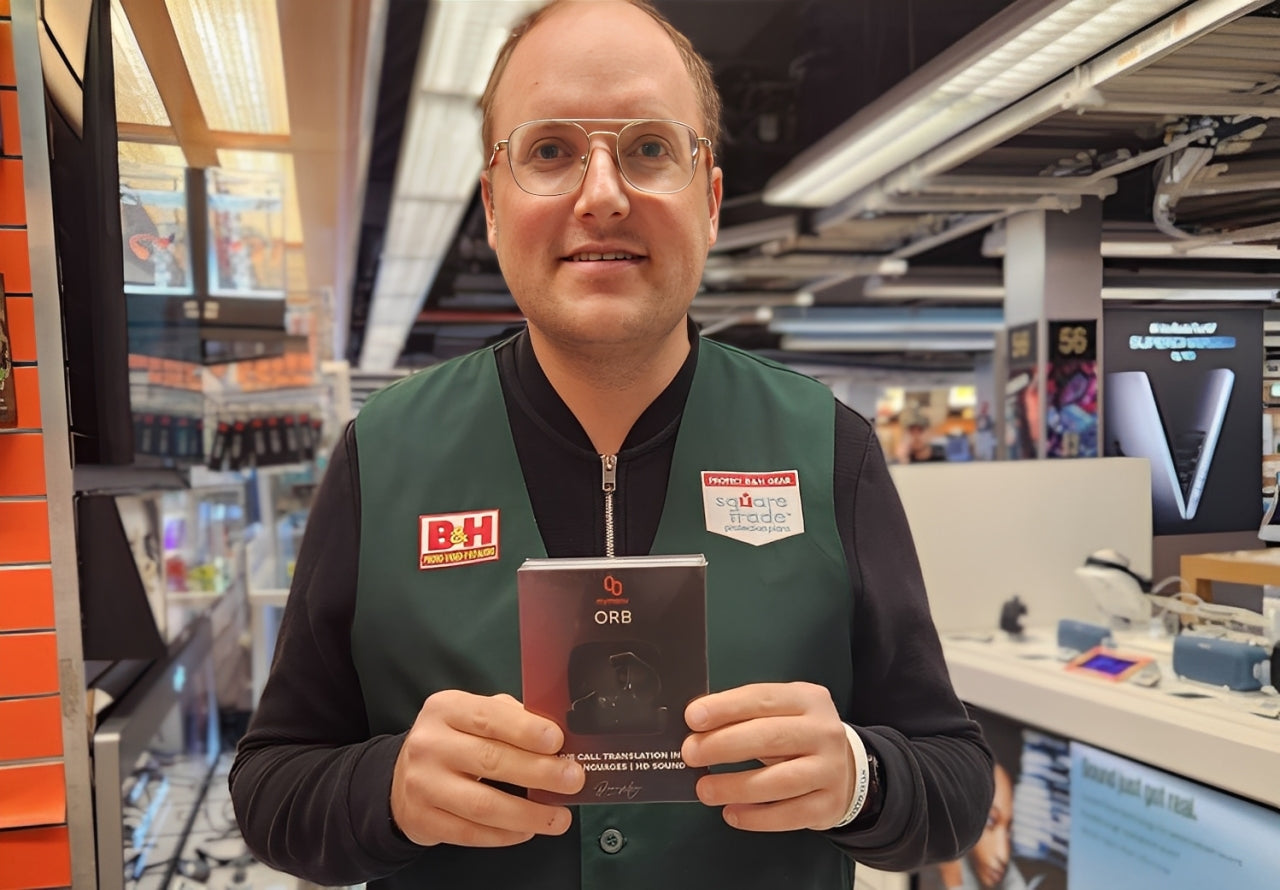
Meeting hubs and business-first interpretation systems These are built for teams, not casual chats. Mymanu Orb and Myjuno Pro Meeting Hub supports more than 200 participants and five languages at once. If you switch between travel and work calls, earbuds usually give you the best balance.
2. Compare the Features That Actually Affect Translation Quality
Pick for translation quality, not flashy extras. The best devices feel fast, catch messy speech, and stay usable in real places.
- Accuracy, latency, and accent handling Good translation starts with clean speech capture and fast output. If delay feels long, talk gets awkward. Google’s on-device SimulTron research shows real-time speech translation is now practical on phones, while still balancing latency and quality on-device simultaneous speech translation.
- Language coverage and offline support A long language list means little if your pair performs poorly. Check your exact languages, dialects, and whether offline mode is full or limited. New offline models now support 25 source and 25 target languages in compact setups offline simultaneous translation research.

Comparison of translation device features in a professional workspace
- Noise handling, battery life, and wear comfort Crowded spaces break weak devices. Look for strong mics, noise reduction, and an open-ear or secure fit you can wear for hours. Battery claims should reflect translation time, not just music playback.
Test devices in a cafe, airport, or meeting room before you buy.
· App dependence, privacy, and sharing workflow Some buds need a phone for everything. Check transcript sharing, call support, and how voice data is handled.
3. Match the Device to Your Use Case
The right device depends on where and how you talk. Pick for conversation type, noise level, and how hands-free you need to be.
For global travelers and casual users
Choose handheld translators or simple earbud setups for short chats, directions, and check-ins. WIRED’s 2026 guide notes handheld models still make sense when you want a clear, dedicated tool for travel.
For multilingual workplaces and international teams
Use meeting-first devices if several people speak, switch languages, or join remotely.
Myjuno Pro handles more than 200 participants and more than Ten languages at once, which fits team calls better than basic two-person earbuds.
For music enthusiasts and everyday earbud buyers
If you also care about sound, comfort, and daily wear, translation earbuds make more sense than a handheld. Mymanu’s open-ear style is useful if you want live support without feeling cut off from your surroundings.
For accessibility seekers and language-support needs
Pick devices with clear audio, live captions, easy sharing, and open-ear comfort. Prioritize low-friction controls and screen support. If the goal is easier daily communication, a less isolating design often beats the most spec-heavy option.
4. Shortlist and Compare Before You Buy
Build a short list of 2 to 4 devices, then score each one on what matters in real use. Check language support, offline mode, comfort, battery, mic quality, phone dependence, and total cost. A good app can cover far more languages
Use your hardest use case, not the brand's best demo.
Know when to choose an app instead. If you need quick help for signs, menus, or short chats, an app may be enough.
Need real-time translation without losing awareness? Try Mymanu for open-ear AI translation earbuds built for travel, work, and everyday conversations.
Frequently Asked Questions
Q1: What features should I consider when choosing a language interpretation device for multilingual workplaces?
Pick strong mic pickup, low delay, clear speaker output, long battery life, call support, and easy device sharing. Check noise handling, language coverage, privacy controls, and whether staff can use it without training.
Q2: How does the AI translation accuracy of Mymanu’s earbuds compare to traditional translation apps?
Mymanu earbuds can feel more natural in live talk because they keep audio hands-free and reduce phone juggling. Accuracy still depends on accent, noise, and context, but the smoother flow often beats app-based back-and-forth.
Q3: What are the key benefits of using real-time interpretation devices like Mymanu’s for global teams?
Teams move faster, miss less detail, and keep eye contact during meetings. Real-time devices help on calls, site visits, and travel. They also lower stress for non-native speakers and make cross-border work feel more equal.
Conclusion
Pick your device by use case first, then check offline support, comfort, accuracy, and privacy. Real-time translation keeps improving, and the category is still growing, according to Wikipedia's overview

Share:
The Ultimate Guide: How to Connect Wireless Headphones to Any Airplane TV
7 AI Translation Earbud Use Cases for Travel in 2026